Spiderman Ai Photo Editing Prompts, as you already know that on our website Dmediting.com I provide all types of Ai Prompts and all the tricks and tips related to editing for you people, keeping that in mind, this Spiderman photo editing is going viral very fast on Instagram and at this time everyone is using Ai only, so you people can also give a good look to your photo by using Ai, which is very wonderful for us and you, on our website you will get all types of Ai Prompts, whatever is trending and viral, you will get it all at one place, you just have to copy and paste it and your photo will be ready.
At this time everyone is using AI and day by day AI is becoming more advanced because people are not only making photos but also videos with AI, so keeping that in mind we have also made it for you people so that you people do not have to worry much, right now everyone from our contact creator is using it, AI is now being used in the film industry, you can do hours of work in seconds with it.
TRENDING AI PHOTO EDITING PROMPTS
What are AI Prompts?
If we look at these Ai Prompts, then it is generally a coding with the help of which you can create photos and videos. You get these Prompts separately on our website. You will get Ai Prompts from making photos to making videos, which you will not get on any other website. You can use these Ai Prompts especially in only a few apps, which we tell you, you can use it in Google Gemini, ChatGPT and Flow and Grok. You get these on different platforms. In this, you can create whatever you want by writing or speaking, you get every kind of option.
Spiderman Ai Photo Editing Prompts
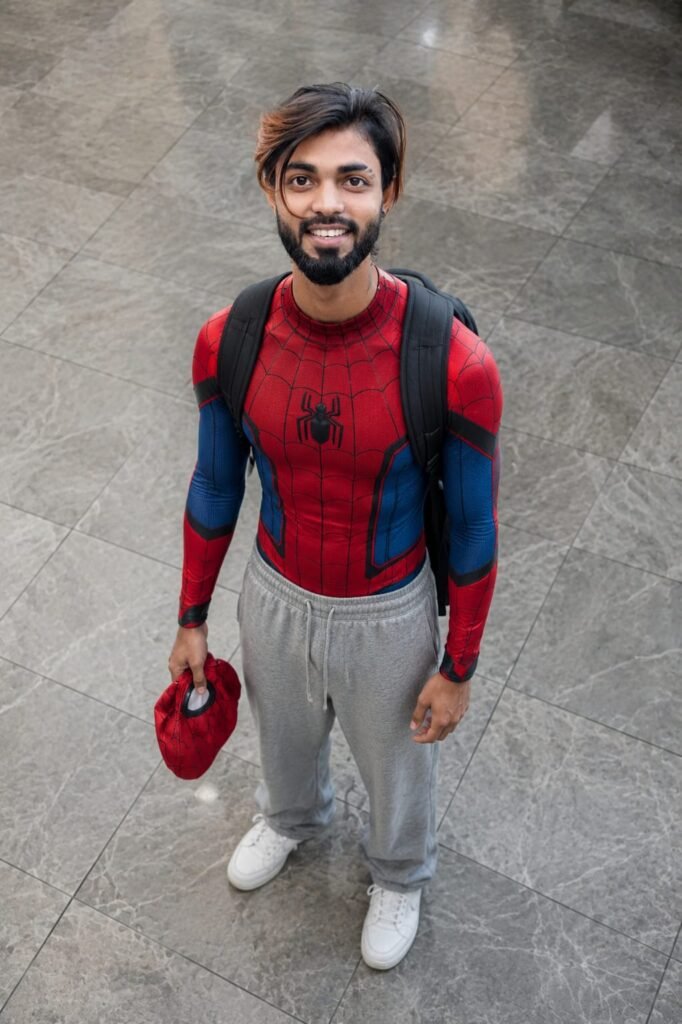
A realistic high-angle full-body photo of mine standing on a grey marble tiled floor. he is looking up at the camera with a natural soft expression. he is wearing a fitted red and blue Spider-Man inspired bodysuit on his upper body with subtle web detailing, paired humorously with loose grey sweatpants and clean white sneakers. he has a black backpack on his shoulders and is holding a red Spider-Man mask in his left hand. The lighting is soft and natural, creating a cinematic candid 'Peter Parker after school' vibe. Highly realistic, detailed, shallow depth of field, natural colors." Don't change face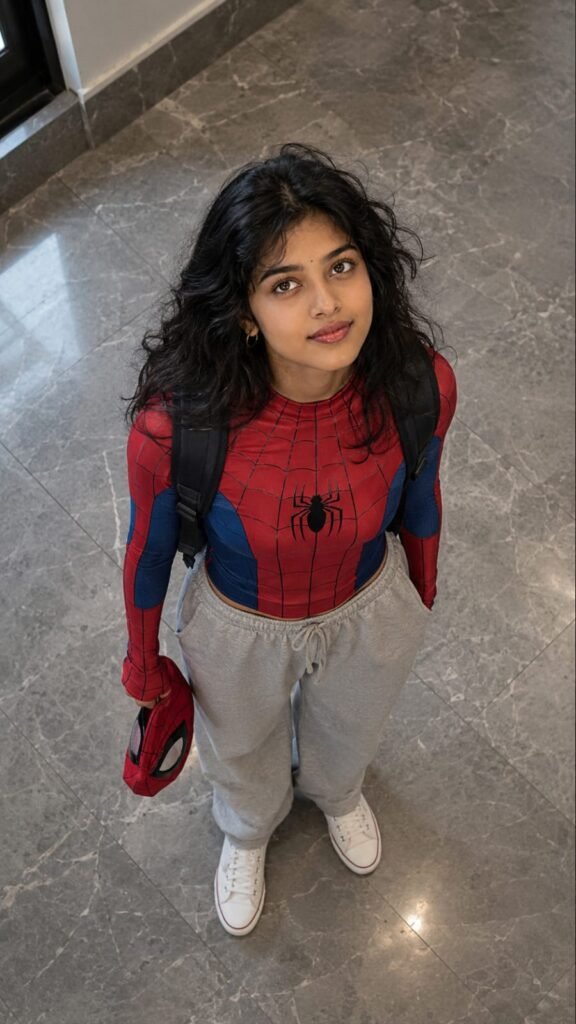
A realistic high-angle full-body shot of a young girl with messy, textured black hair looking up at the camera. He is dressed in a red and blue Spider-Man bodysuit on his upper half, but wearing loose casual grey sweatpants on his lower half, white clean canvas shoes. He has a black backpack on his shoulders and is holding a red Spider-Man mask in his left hand.

He is standing indoors on a grey marble tiled floor. The lighting is soft and natural, giving a casual "Peter Parker after school" vibe. Same To Same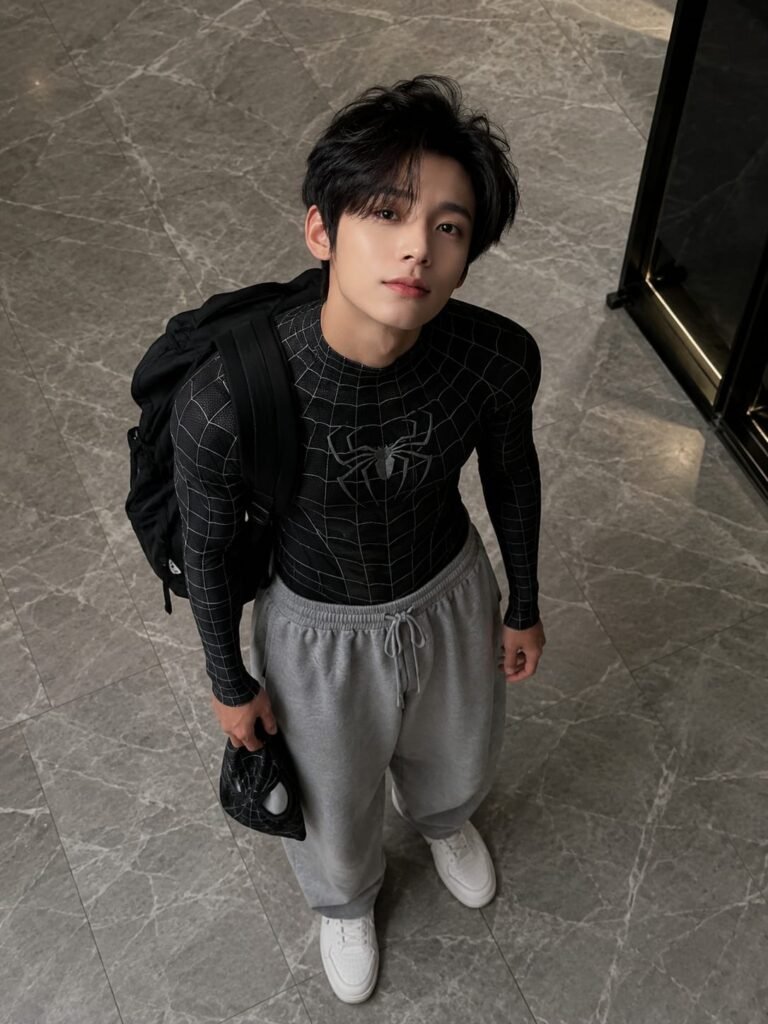
Create a realistic high-angle full-body shot of a young man with textured black hair looking up at the camera. he is dressed in a black Spider-Man bodysuit on his upper half, but wearing loose casual grey sweatpants on his lower half, white clean canves shoes. he has a black backpack on his shoulder and is holding a black Spider-Man mask in his left hand he is standing indoors on a grey marble tiled floor. the lighting is soft and natural, giving a casual

"peter parker after school" vibe. aspect ratio 3:4
CREATE YOUR IMAGE CLICK AND USE
How To Use Spiderman Ai Photo Editing Prompts
Let me tell you how to use it. First of all, you will need an Ai App called Google Gemini. These prompts have been made for Google Gemini only, so you can find it on Google Gemini Play Store and if you want, you can use it directly from Chrome also. After downloading, you have to login with your Gmail, then click on the + icon and add any of your face photos, then copy the prompts that you like from it, then paste them in Google Gemini, it will be ready in just some time.
Details of Spiderman Ai Prompts
In this, I’ve told you about the Spiderman AI Photo Editing Prompts and everything related to it. I’ve also explained the AI Prompts and how to use them. I’ve explained everything step by step. If you have any other questions or questions, please feel free to comment. I’ll be there to help. If you need any other AI Prompts, please let me know.